
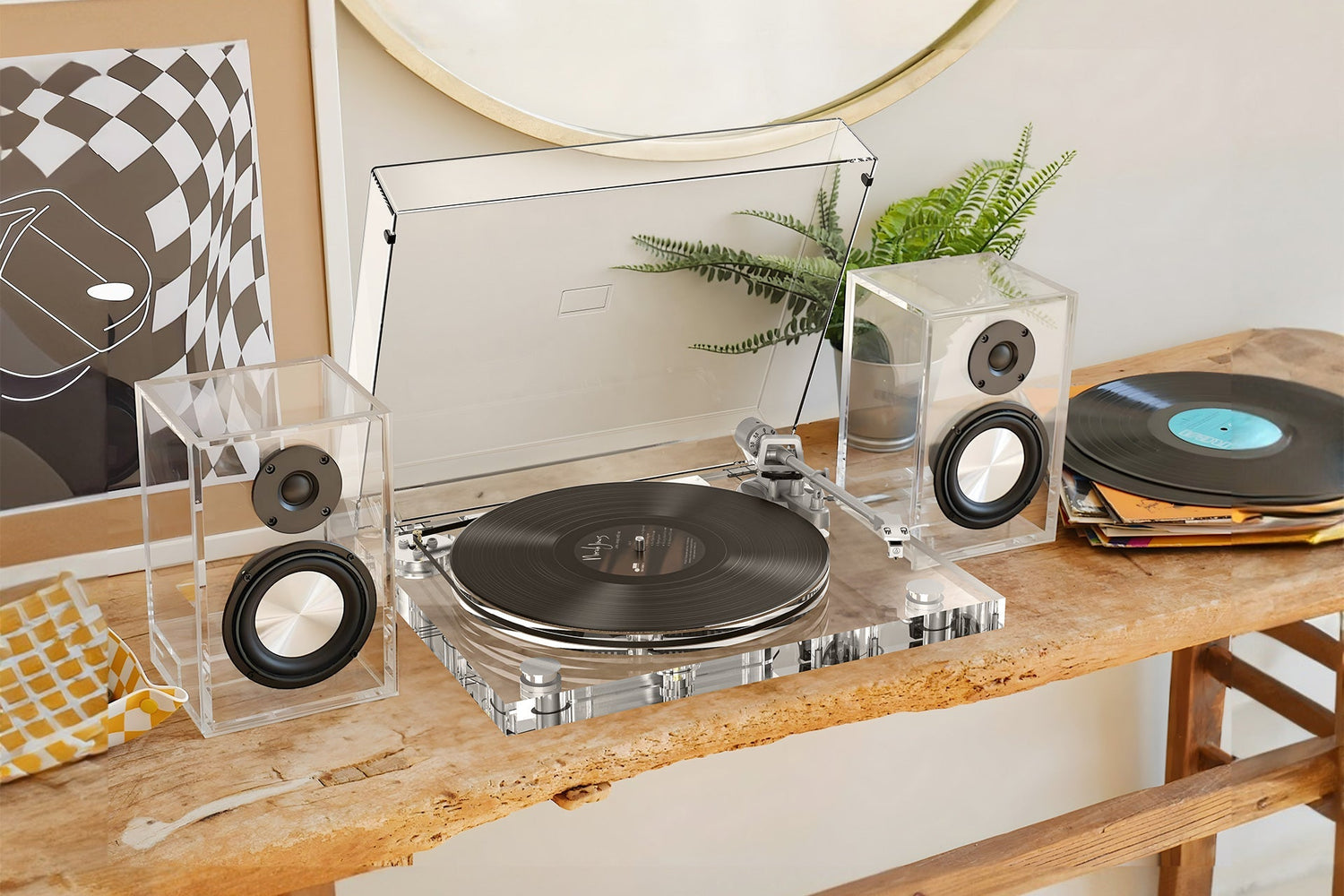
A turntable without built-in speakers, like the AudioKeeper ICE1-V2, connects to external sound in one of two ways: a wired RCA connection to powered speakers or a receiver, or a wireless Bluetooth connection to any Bluetooth speaker or headphones. RCA generally gives a more stable, lower-latency connection; Bluetooth gives more flexibility in speaker placement and setup simplicity. Most people only need one of the two — which one depends on what speakers you already own.
Option 1: RCA (Wired) Connection
This is the traditional way to connect a turntable to sound.
What you need:
- Powered speakers with RCA inputs, or a stereo receiver/amplifier connected to passive speakers
- An RCA cable (included with the ICE1-V2)
How to connect it:
- Plug the red and white RCA cable ends into the turntable's RCA output
- Plug the other ends into the matching red/white RCA inputs on your speakers or receiver
- Power on both devices and set your receiver to the correct input if it has multiple
Why choose this: RCA is a direct wired signal with no compression and no wireless latency, which matters if you're pairing with a higher-quality stereo system where signal fidelity is the priority. It's also more reliable in a room with a lot of other Bluetooth devices competing for a wireless connection.

Option 2: Bluetooth (Wireless) Connection
What you need:
- Any Bluetooth speaker or Bluetooth headphones
- No cables required
How to connect it:
- Put your Bluetooth speaker or headphones into pairing mode (check the speaker's manual — usually a button press-and-hold)
- Put the turntable into Bluetooth pairing mode
- Select the turntable from your speaker's list of available devices, or wait for automatic pairing
- Once paired, the connection should reconnect automatically each time both devices power on within range
Why choose this: Bluetooth removes the need for cables running across a room, which matters more in an apartment or a setup where the turntable and speakers aren't sitting right next to each other. The trade-off is a very small amount of audio compression and occasional latency, which most casual listeners won't notice but audio purists sometimes do.

Can You Use Both at Once?
No — the ICE1-V2 outputs to one connection type at a time, not both simultaneously. If you have both a Bluetooth speaker and a stereo system, choose whichever the specific listening session calls for (RCA for critical listening, Bluetooth for casual/flexible placement) rather than expecting simultaneous output to both.
Common Connection Problems and Fixes
- No sound over Bluetooth: Confirm the speaker is in pairing mode and not already connected to another device (like a phone) — most Bluetooth speakers can only hold one active connection at a time
- Sound over RCA but very quiet: Check that your receiver's input/volume isn't set near zero, and that you're using the correct input channel if the receiver has multiple RCA inputs
- Bluetooth keeps disconnecting: This is usually a distance or interference issue — keep the turntable and speaker within the manufacturer's stated range and away from other 2.4GHz devices (routers, microwaves) if possible
FAQ
Do I need a phono preamp to connect the ICE1-V2 / GENESIS-V2 to speakers? No, for typical setups. The turntable's RCA and Bluetooth outputs are ready to connect directly to powered speakers or a Bluetooth speaker without a separate preamp.
Can I connect the ICE1-V2 / GENESIS-V2 to a soundbar? Yes, if the soundbar has an RCA input or Bluetooth pairing capability — check your specific soundbar's inputs.
Is Bluetooth or RCA better for sound quality? RCA carries an uncompressed wired signal and is generally preferred for critical listening. Bluetooth introduces minor compression that most casual listeners won't notice, but which some listeners with high-end speaker systems do.
Why won't my turntable connect to two speakers at once? The ICE1-V2 / GENESIS-V2 supports one active output connection (either RCA or Bluetooth) at a time, not simultaneous dual output.






Leave a comment
All comments are moderated before being published.
This site is protected by hCaptcha and the hCaptcha Privacy Policy and Terms of Service apply.